 Keeptab Dark
Keep-Tab Dark · for Chrome
Dark mode for Google Docs, Sheets, Slides & Excel
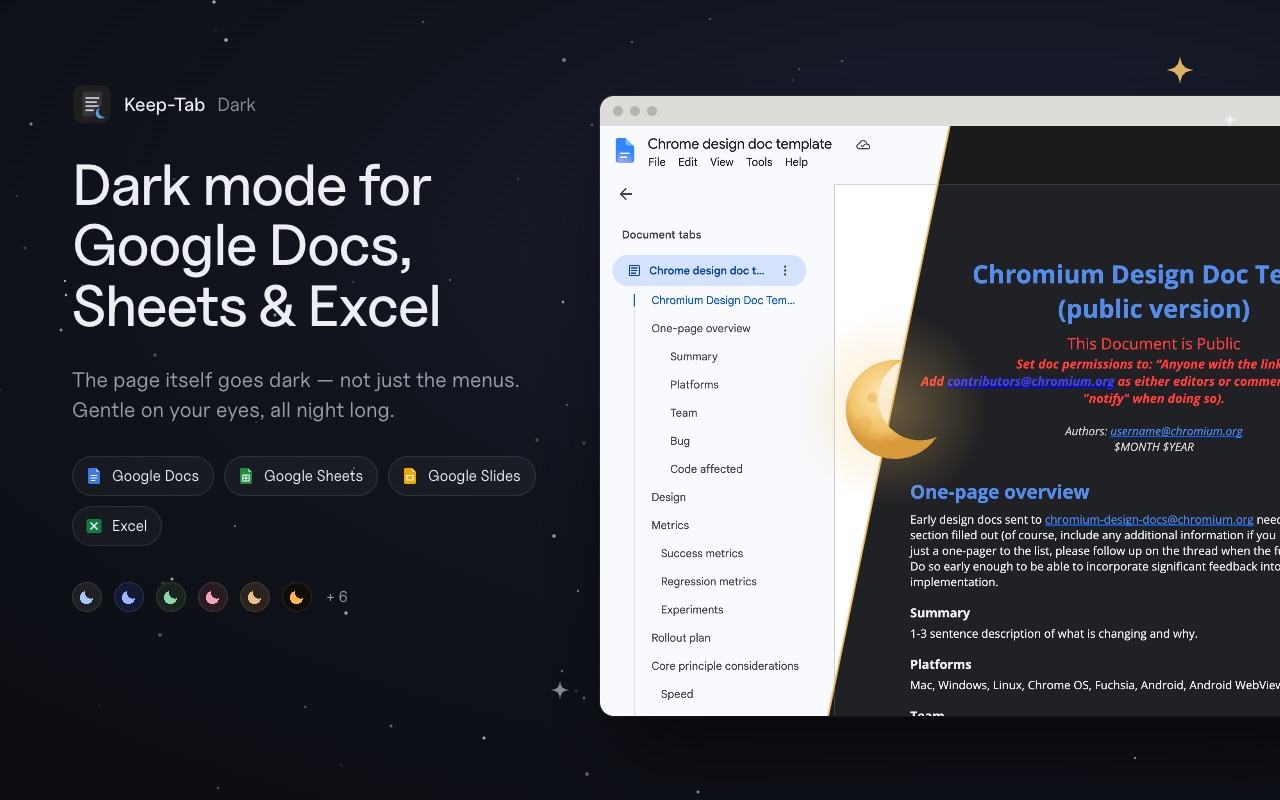
The page itself goes dark, not just the menus. Photos keep their true colors, and files open dark with no white flash.
- Google Docs
- Google Sheets
- Google Slides
- Excel online
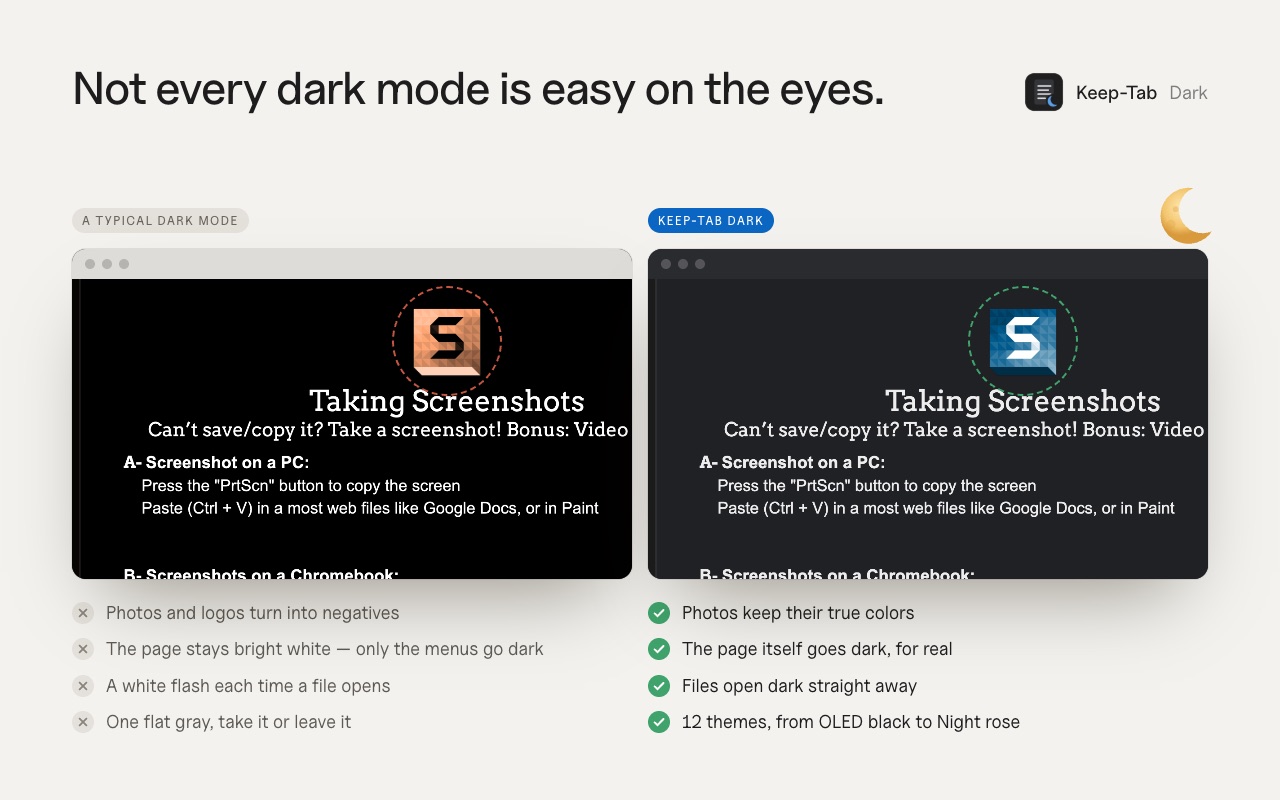
Not every dark mode is easy on the eyes
Most dark mode extensions leave the document bright white, or flip every color so photos and logos look like film negatives. Keep-Tab Dark is made only for documents and spreadsheets, so it gets them right.
- The page itself goes darkThe text, the page and the whole app around it — not only the toolbar.
- Images keep their real colorsPhotos, logos and charts are never inverted.
- No white flashFiles open dark straight away, even on a slow connection.
- Sheets and Excel stay readableGridlines stay visible and highlighted cells keep their color.
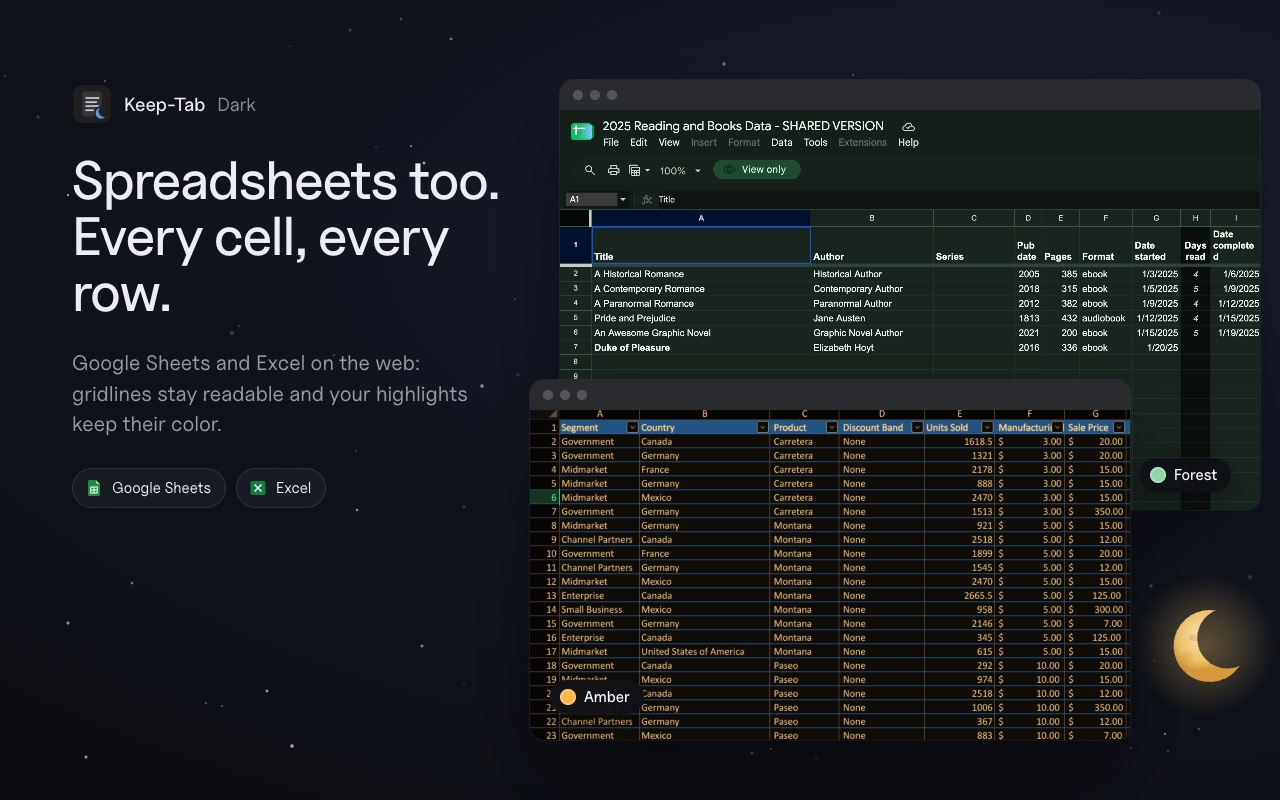
Spreadsheets too
Google Sheets and Excel for the web (Microsoft 365, OneDrive) get the same treatment: dark cells, readable gridlines, colors that still mean something.
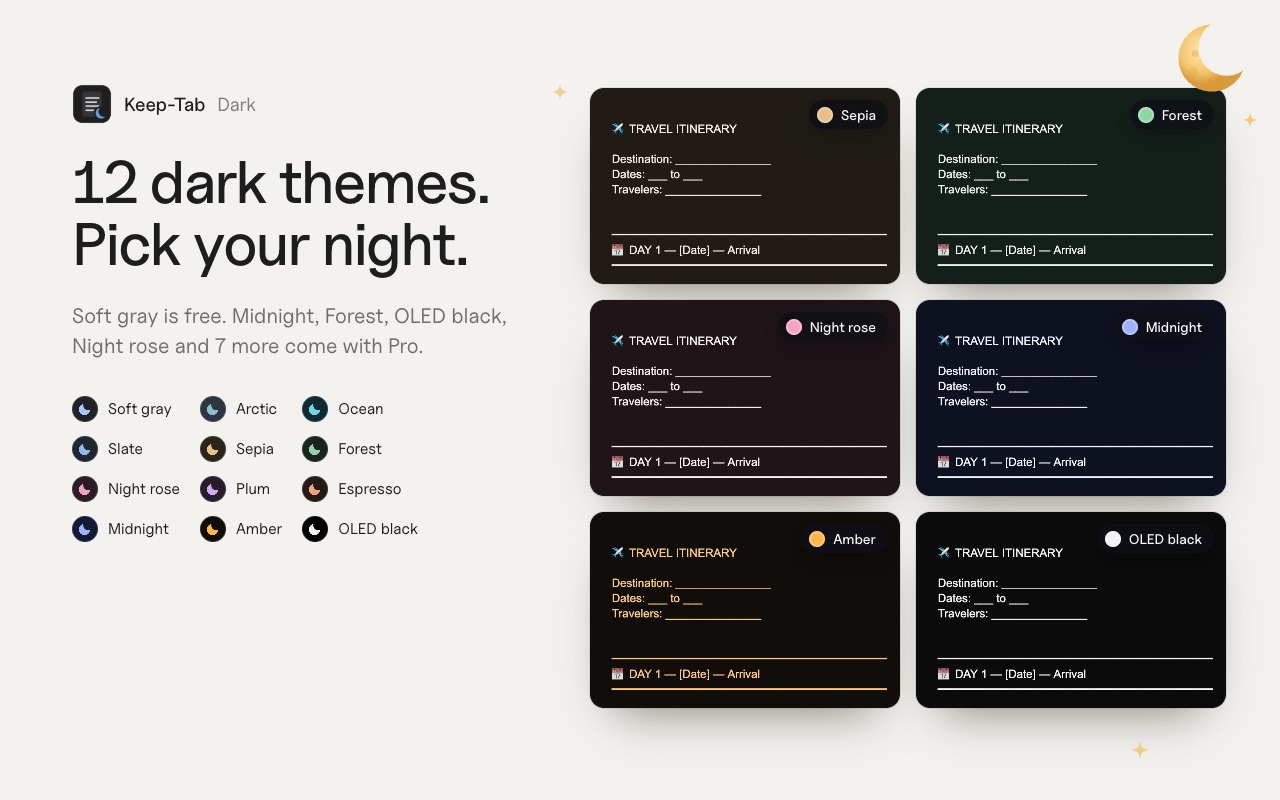
12 dark themes
Soft gray is free, forever. Pro unlocks 11 more, from OLED black to Night rose.
Free, or Pro for $1.99 a month
Free
$0forever
- True dark mode on Docs, Sheets, Slides and Excel
- Soft gray theme
- Images keep their colors, no white flash
- On/off with Alt + Shift + D
- Choose which apps go dark
Pro
$1.99per month, cancel anytime
- Everything in Free
- All 12 dark themes
- On at night, off by day (follows your computer or your hours)
- Keep one document light (handy before printing)
- Softer images for late-night reading
- Works on all your computers with your Google account
Get Pro from the extension: Settings › Your account.
Your documents stay on your computer
Keep-Tab Dark changes how documents look on your screen. That's all. It never reads, copies or sends your text, has no analytics and no ads, and only runs on docs.google.com and Excel online. The free version needs no account.
FAQ
Is there a dark mode for Google Docs?
Google Docs has no dark mode on computers: only the Android and iPhone apps have one. Keep-Tab Dark adds a true dark mode to Google Docs, Sheets and Slides in Chrome.
Does it change my document for other people?
No. The dark mode only exists on your screen. Your file stays exactly the same for others, when printing and when exporting to PDF.
Does it work with Excel?
Yes, with Excel for the web (Microsoft 365, OneDrive, excel.cloud.microsoft). The Excel desktop app has its own dark theme.
Will my images look strange?
No. Only text, backgrounds and menus go dark. Photos, logos and charts keep their real colors.
How do I cancel Pro?
In the extension, open Settings › Your account › Manage my subscription. If you cancel, Pro stays on until the end of the month you paid for.
Give your eyes a break tonight
Keep-Tab Dark is free for Chrome. Install it, open a document: it's already dark.
Add to Chrome — it's free